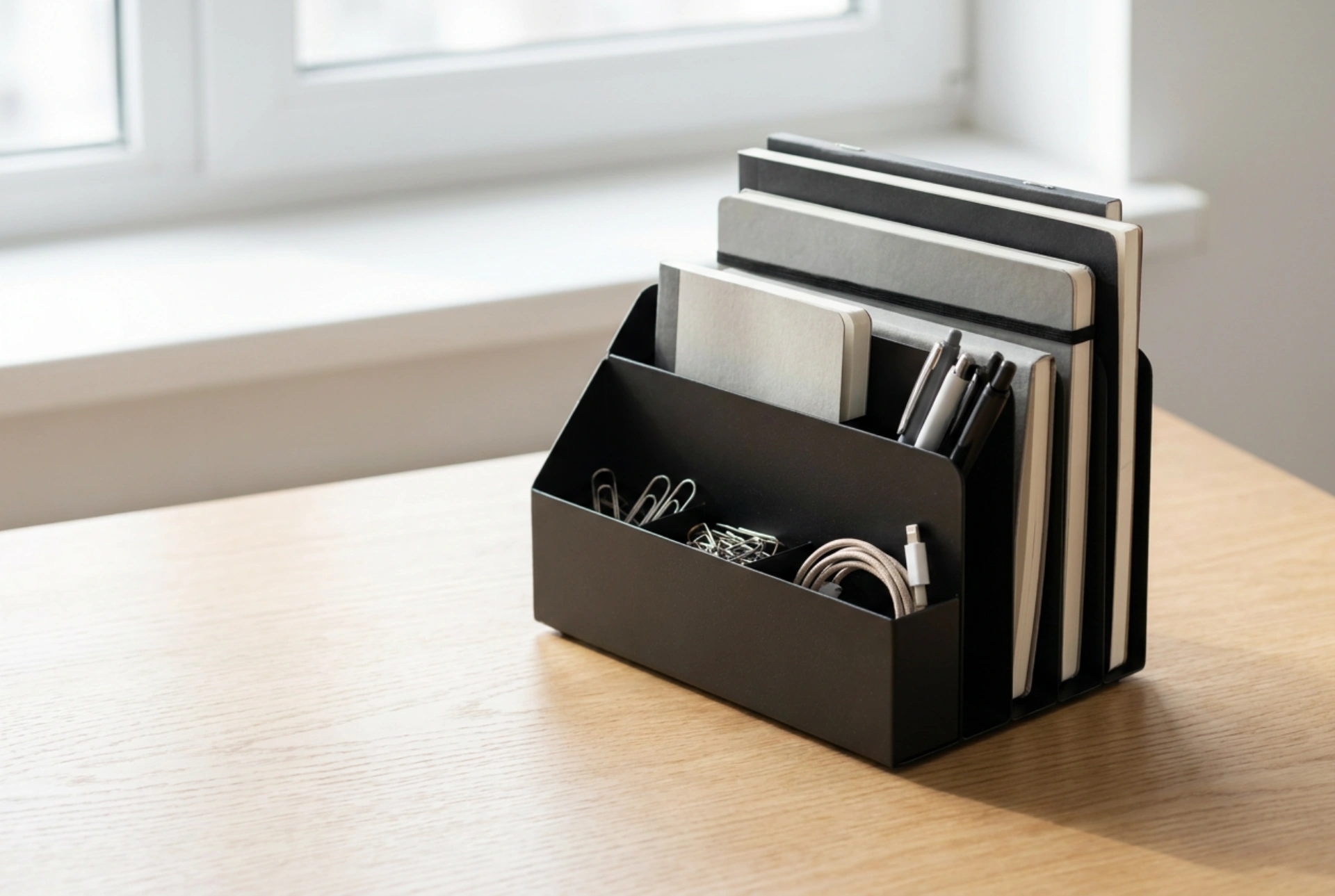


Maximising workspace efficiency requires more than just clearing clutter; it involves understanding the physical dynamics of your work surface and the materials of your storage tools. A powder-coated metal desk organiser offers unique structural and magnetic properties that, when utilised correctly, can systematically streamline your daily workflow.
The Material Science: Why Metal Outperforms Plastic
When selecting desk storage, material composition directly influences both durability and functionality. Unlike polymer-based alternatives, ferromagnetic metal organisers (such as powder-coated steel) provide significant weight and stability. This increased mass prevents the organiser from sliding when you pull out an item, maintaining a fixed centre of gravity on your desk surface.
Furthermore, metal surfaces do not accumulate electrostatic charges in the way plastics do. This property significantly reduces dust attraction, keeping both the organiser and your sensitive electronic accessories—such as USB drives and memory cards—cleaner for longer. If you use a steel organiser, you can also leverage its ferromagnetic properties by using small neodymium magnets to hold paperclips, keys, or cable ends directly against the outer walls, expanding your storage capacity without increasing the footprint.
Gravity and Ergonomics: Organising by Weight and Frequency of Use
To prevent your metal organiser from tipping or shifting, apply basic mechanical principles when loading its compartments. Always place the heaviest objects—such as staplers, external hard drives, or heavy tape dispensers—in the lowest and most central compartments. This lowers the overall centre of gravity, ensuring the unit remains anchored during rapid physical reach-outs.
Next, map your accessories based on your physiological reach zones:
- Primary Zone (Immediate Reach): Place high-frequency items like pens, note papers, or digital stylus pens in the outermost front compartments.
- Secondary Zone (Arm's Length): Store mid-frequency accessories, such as paperclips, sticky notes, and USB adaptors, in the middle tiers.
- Tertiary Zone (Extended Reach): Keep rarely used tools, such as spare batteries, cable ties, or mounting adhesive, in the deepest or rear-most sections.
Tactile Micro-Organisation for Small Tech and Stationery
Small accessories easily get lost in deep compartments. To prevent friction damage and make retrieval seamless, group items by physical material. Avoid mixing metallic items like paperclips with delicate plastic memory cards, as mechanical friction can scratch protective casings or damage gold-plated contact pins.
For micro-accessories, use small silicone inserts or lining felt within the metal slots. This dampens sound, prevents metal-on-metal scraping, and stops tiny screws or clips from sliding around. When storing digital storage media, ensure they are placed vertically to prevent physical compression from other heavy objects stored on top of them.
Harnessing Open Metal Grids for Cable Routing
If your organiser features a metal mesh design, use the physical apertures for cable management. Mesh openings function as natural routing points for charging cables. By threading a connector through a specific mesh gap, you prevent the cable from slipping off the back of your desk when unplugged. The rigidity of the metal ensures the cable remains held at a precise angle, preventing the internal copper wiring from experiencing excessive bending stress, which eventually leads to cord fatigue and failure.
Maintenance: Preserving the Metal Finish
To maintain the structural integrity and aesthetic of your organiser, prevent chemical degradation of the protective powder coating. Avoid cleaning the metal with acidic solutions or abrasive scrubbing pads, which can create microscopic scratches. These micro-fissures expose the raw steel beneath to ambient humidity, initiating oxidation (rust). Instead, clean the surfaces with a dry microfiber cloth, or a slightly damp cloth with neutral soap, drying the metal immediately afterward to prevent water spotting.