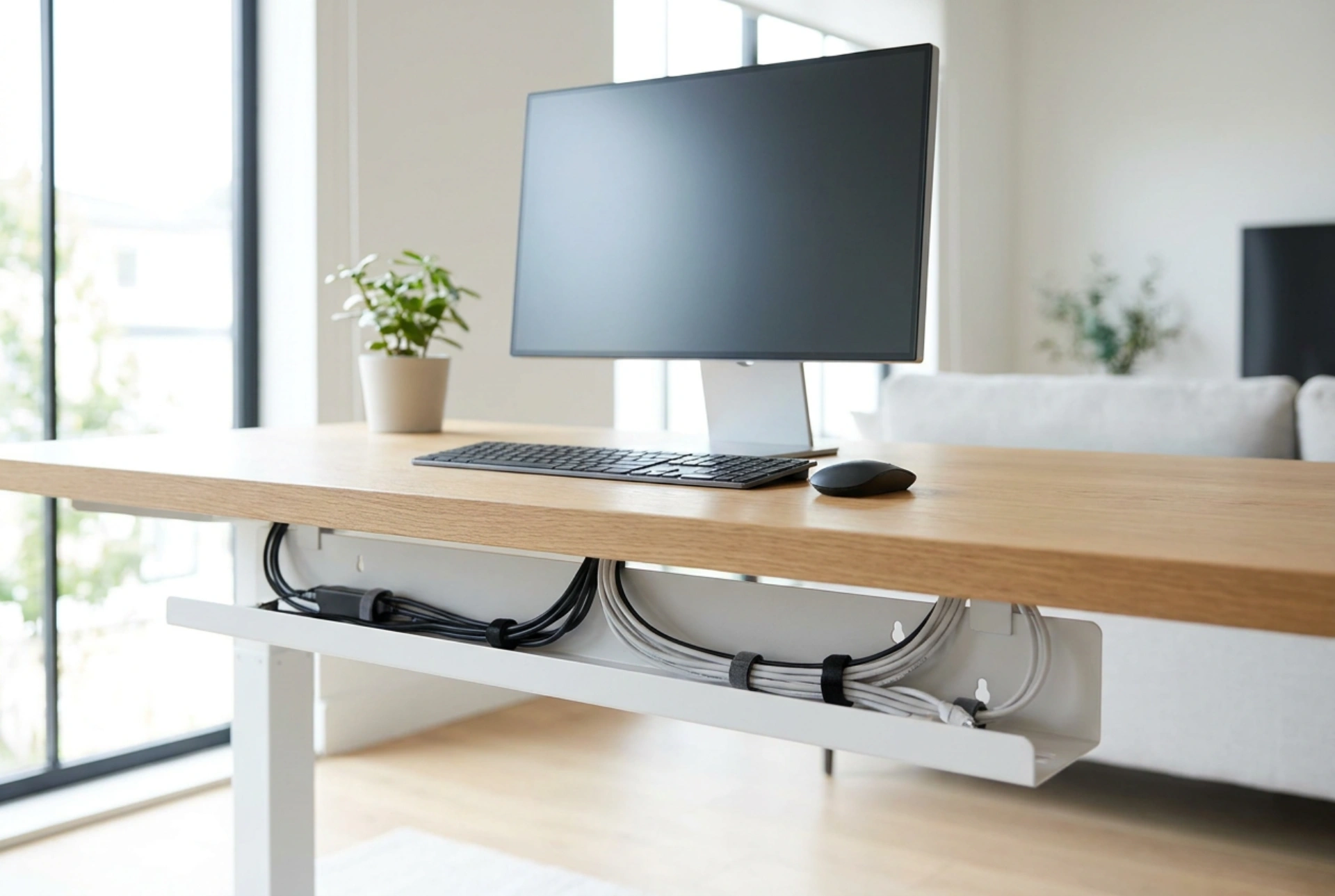


A chaotic tangle of cords under your desk is more than an eyesore; it accumulates dust, restricts legroom, and puts physical strain on device ports. Properly mounting an under-desk cable tray restores structural order and protects your electronics by reducing mechanical tension and thermal buildup.
Structural Physics: Screws vs. Chemical Adhesives
When mounting a cable tray, you must choose between mechanical fasteners (screws) and chemical adhesives (mounting tapes). This decision depends on the material of your desktop and the weight of your power strips and adapters. For solid wood or thick MDF (Medium-Density Fibreboard) desks, mechanical screws offer superior resistance to shear and tensile stress. When drilling into wood, always use a pilot hole. The pilot drill bit should match the inner shaft (root diameter) of the screw, not the outer thread diameter. This prevents the wood from splitting while allowing the threads to cut firmly into the material.
For hollow-core desks or glass, chemical adhesives are the primary option. Acrylic-based double-sided foam tape relies on molecular adhesion. To ensure a permanent bond, the surface must be chemically clean. Wipe the underside of the desk with isopropyl alcohol (minimum 70% concentration) to strip away manufacturing oils and dust. Apply firm pressure to the tape for at least 30 seconds to activate the pressure-sensitive adhesive, and allow it to cure for 24 hours before loading it with the weight of cables and heavy power bricks.
Preventing Electrostatic Hazards and Dust Accumulation
Cables resting on carpet or hardwood floors act as dust magnets due to static electricity. As electrical currents pass through power cords, minor electromagnetic fields are generated. These fields, combined with the triboelectric effect of friction against flooring, attract particulate matter. Elevating power strips and cables into a suspended metal or plastic mesh organizer breaks this contact cycle.
Furthermore, power bricks (AC/DC adapters) dissipate heat during the voltage conversion process. When buried under a pile of cords on the floor, heat cannot escape, leading to thermal stress and reduced lifespan of the components. A suspended mesh or wire tray allows for natural air convection, drawing cool air from below and dissipating heat safely away from sensitive electronics.
Step-by-Step Layout and Installation
Successful cable management requires a methodical order of operations to avoid cord strain and messy configurations:
- Clear and Plan: Remove all devices from the desk. Position your power strip on the floor first to visualize the cable paths and estimate the required cord slack.
- Mark and Prep: Position the cable tray close to the rear edge of the desk, leaving at least 5 to 10 centimetres of clearance from walls or monitor mount clamps. Mark the mounting holes with a pencil.
- Set Depth Stops: If drilling, wrap a piece of painter's tape around your drill bit at the exact length of the screw. This acts as a physical depth stop to prevent drilling through the top surface of the desk.
- Secure the Hub: Fasten the tray to the desk, then place the power strip inside it first. Because it is the heaviest component, it must sit securely in the center or closest to the strongest support brackets.
Cable Routing Mechanics: Bend Radii and Signal Integrity
When routing individual cables into the tray, respect the physical bend radius of the materials. Copper wires and glass fibers inside cables can degrade or snap if bent too sharply. As a rule of thumb, the minimum bend radius should be at least four times the outer diameter of the cable. Avoid pulling cords taut; leave a small amount of slack near the device connection points to prevent physical tension on the internal ports.
Avoid using plastic zip ties to secure cables together. Zip ties concentrate pressure on a narrow surface area, which can crush the outer insulation and deform the internal twisted pairs of data cables, causing signal degradation. Instead, use wide, hook-and-loop straps. These distribute the holding force evenly, are reusable, and prevent insulation pinching. Finally, group high-voltage power cords separately from low-voltage data lines where possible to minimize electromagnetic interference.