

Managing a tangled web of power cords and data lines under your workspace is more than an aesthetic issue; it is a matter of thermal safety, signal integrity, and physical accessibility. By understanding the mechanical properties of cable materials and applying systematic routing techniques, you can establish a clean, efficient under-desk system that preserves your hardware.
The Physics of Under-Desk Clutter: Heat and Interference
Every electrical cable carrying current generates a small amount of heat due to the natural electrical resistance of the internal copper wire. When multiple cords are bundled tightly together in a confined space, this heat accumulates. Without adequate ventilation, elevated temperatures can prematurely degrade the polyvinyl chloride (PVC) or thermoplastic elastomer (TPE) outer sheathing, making the cables brittle and prone to cracking.
Furthermore, cable placement impacts signal performance. Power cables carry alternating current (AC), which generates an oscillating electromagnetic field. When unshielded data or audio cables (such as Ethernet or auxiliary lines) run parallel and close to these power cables, they can experience electromagnetic interference (EMI). This manifests as static, dropped connections, or reduced data transfer rates. To prevent EMI, always route power lines and data cables along separate pathways, crossing them at 90-degree angles when intersection is unavoidable to minimise field overlap.
Understanding Cable Tension and Bend Radius
Cables are not infinitely flexible. Copper, while ductile, suffers from material fatigue when subjected to sharp bends or continuous tension. Every cable has a minimum bend radius—typically defined as four to ten times the outer diameter of the cable itself. Exceeding this limit causes micro-fractures in the copper strands, increasing resistance and creating localised hot spots.
When organising cables within an under-desk tray, avoid pulling cords taut to reach outlets. Ensure there is sufficient slack at both connection points to prevent physical strain on the port interfaces. Tension not only risks damaging the internal wiring but can also damage the female ports on computers, monitors, and power strips over time.
The Order of Operations for Cable Management
An effective cable routing system requires a systematic approach. Follow this logical sequence to achieve an optimal configuration:
- Isolate and Untangle: Begin by disconnecting all cables entirely. Lay them out flat to remove any built-up torsional twists (coiling memory) acquired during storage or previous use.
- Position the Heavy Infrastructure: Mount your power distribution unit or power strip securely inside or directly adjacent to the under-desk tray. The heavy, rigid power cables from this unit should be routed first, establishing the backbone of your system.
- Segregate and Bundle: Group your data lines (HDMI, DisplayPort, USB, Ethernet) together, keeping them physically separated from the main AC power lines. Use reusable hook-and-loop fasteners rather than plastic zip ties. Hook-and-loop fasteners distribute pressure evenly and do not crimp the outer jackets of the cables.
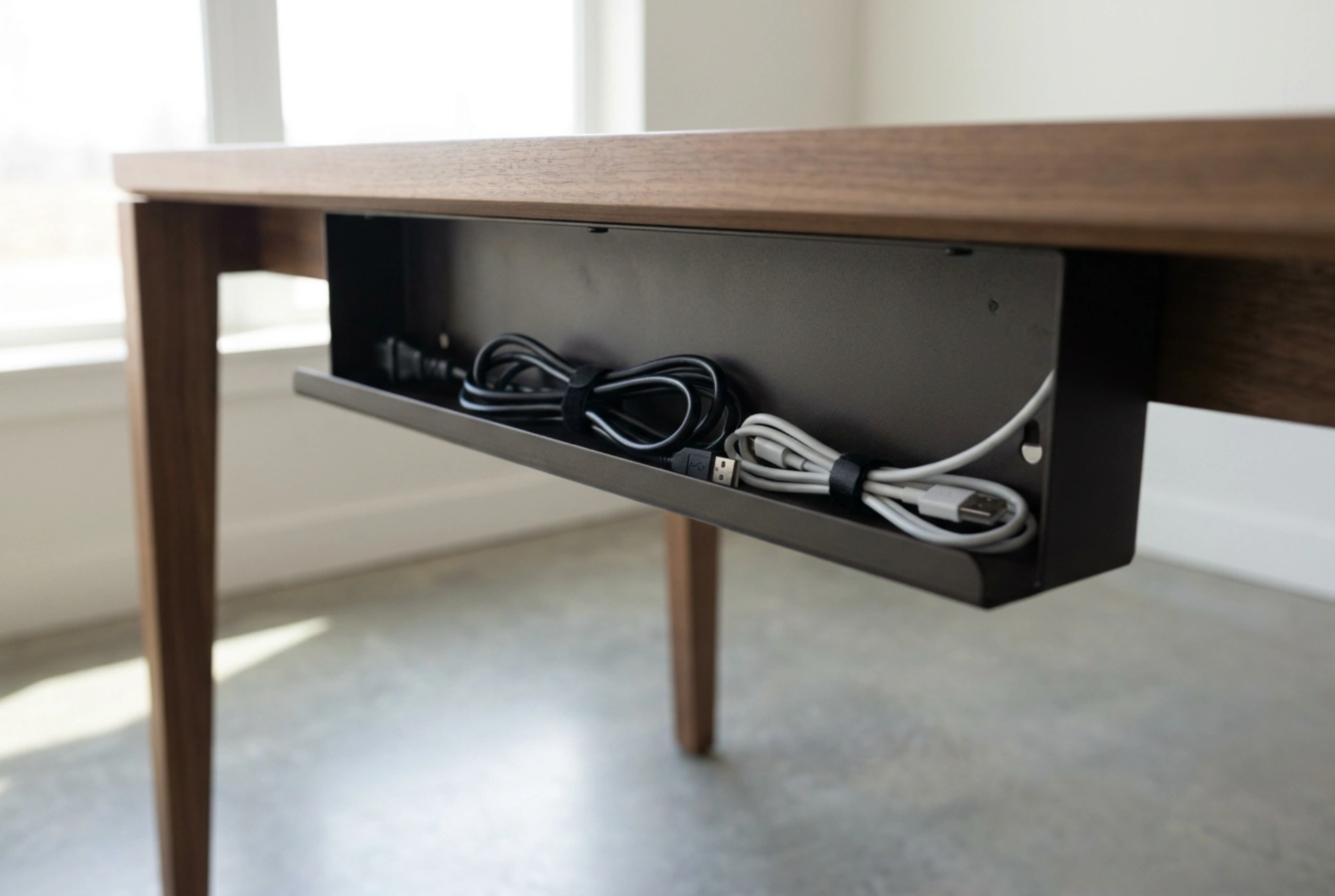
- Address Excess Slack: Do not coil excess cable into tight, circular loops, as this can create an inductive coil effect. Instead, fold the excess in a loose figure-eight pattern and secure the centre point to allow heat dissipation.
Maintaining a Clean Thermal Environment
An under-desk tray acts as a shelf that can easily trap dust. Because dust is an excellent thermal insulator, a thick layer coat on your power adapters and tightly bundled cables will restrict convective cooling. Periodically clear the tray using compressed air to maintain optimal thermal conditions. By focusing on material limits, separating signals, and ensuring structural slack, your cable organiser will remain safe and efficient for years.