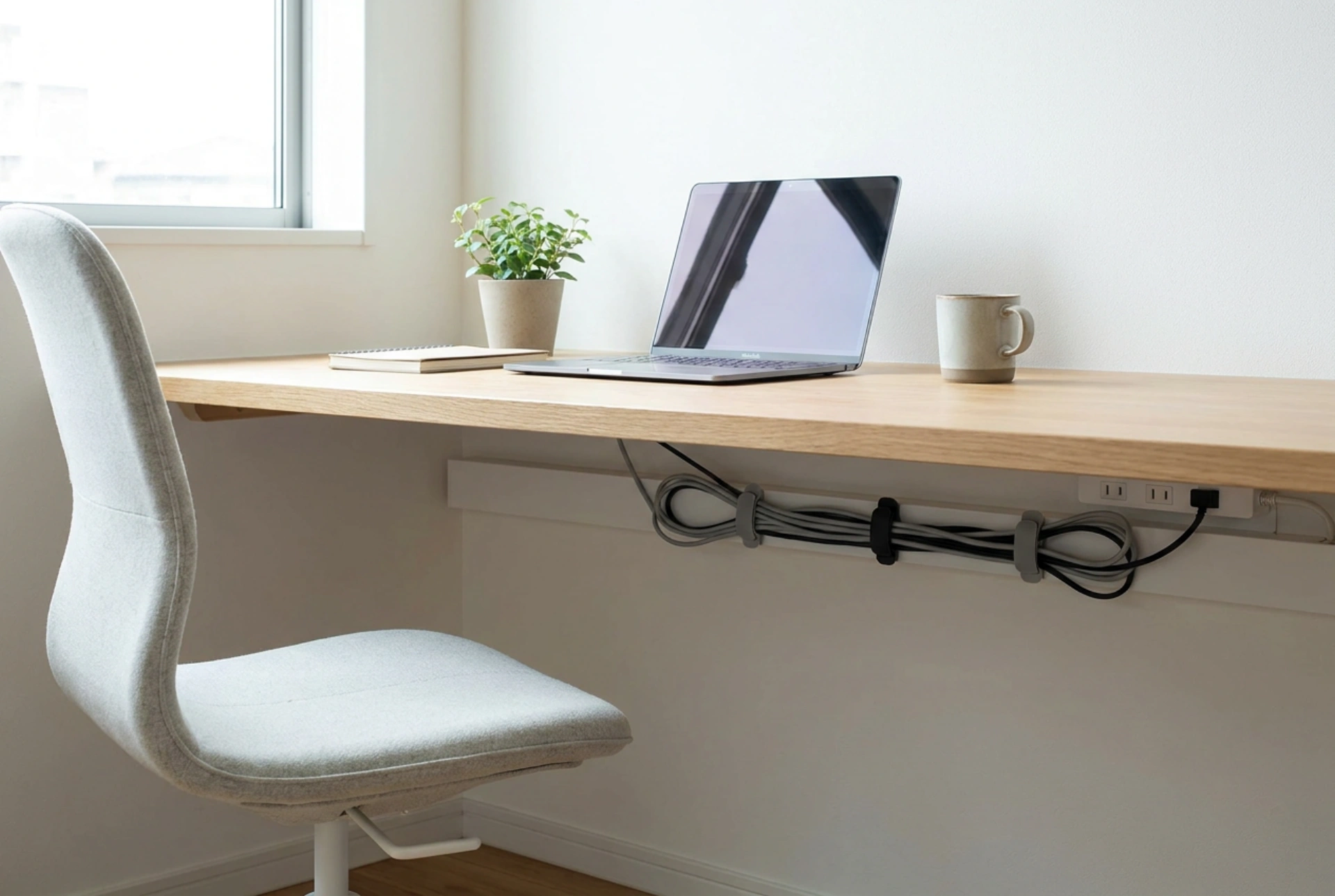


Managing desk cables and power strips prevents mechanical strain on delicate connectors and eliminates dust-collecting tangles that can cause thermal issues. By applying basic physics and material science principles, you can create an organised, safe, and efficient workspace routing system.
Understanding the Physics of Cable Clutter: Gravity and Tension
Unmanaged cables dangling from a desk are constantly subjected to gravitational pull. This continuous downward force exerts physical tension on the delicate copper pins inside your device ports and the power strip sockets. Over time, this mechanical strain causes micro-tears in the internal copper filaments and loosens the physical connection, leading to intermittent power delivery or data transfer failures. Furthermore, tightly coiling high-voltage power cables can lead to inductive heating. When electricity flows through a conductor, it generates a magnetic field and heat. If the cable is tightly bound or coiled, this heat cannot dissipate efficiently, leading to thermal degradation of the PVC or polyurethane insulation. Always leave a gentle radius when routing high-power cables to allow convective heat transfer to the surrounding air.
Securing the Power Strip as the Anchor Point
The foundation of any effective cable management system is securing the power strip. A loose power strip on the floor acts as a physical anchor for dust and pet dander, which are attracted to the electromagnetic fields generated by the current. Mounting the power strip underneath or behind the desktop is the most effective solution. To achieve a strong bond when using adhesive hook-and-loop fasteners, surface chemistry is key. Desk surfaces, especially those made of laminated particleboard or powder-coated steel, often have microscopic layers of oil and dust. Clean both the underside of the desk and the back of the power strip with isopropyl alcohol to remove these contaminants. This ensures the adhesive polymer can make maximum contact with the substrate, forming a strong van der Waals bond that can support the weight of the strip and all attached power bricks.
The Systematic Order of Operations for Routing
Cable management should always follow a structured sequence to prevent physical overlap and lock-ins. First, completely disconnect all devices and lay the cables out straight to release any torsional stress built up in the plastic sheathing. Second, categorise your cables by their function and frequency of movement: stationary cables (monitors, desktop computers) and transient cables (laptop chargers, phone cables). Route the heaviest stationary cables first, securing them along the structural frame of the desk using reusable hook-and-loop wraps rather than plastic zip ties. Plastic zip ties apply point-pressure on the cables, which can pinch the internal shielding and permanently deform the copper cores. Hook-and-loop wraps distribute the compression force evenly over a wider surface area.
Managing Cable Slack and Minimising Bend Radius
Every cable has a minimum bend radius, which is typically defined as ten times the outer diameter of the cable. Bending a cable sharper than this limit causes physical stress on the outer protective jacket and compresses the internal conductors, leading to impedance changes in data lines and physical wear in power lines. When managing excess slack, fold the cable back and forth in a figure-eight pattern rather than a tight circle. The figure-eight pattern neutralises the torsional twist within the wire strands, preventing the cable from kinking. Secure these bundles under the desk using adhesive-backed cable routing clips, ensuring they do not hang low enough to interfere with leg movement or gather dust from the floor.





