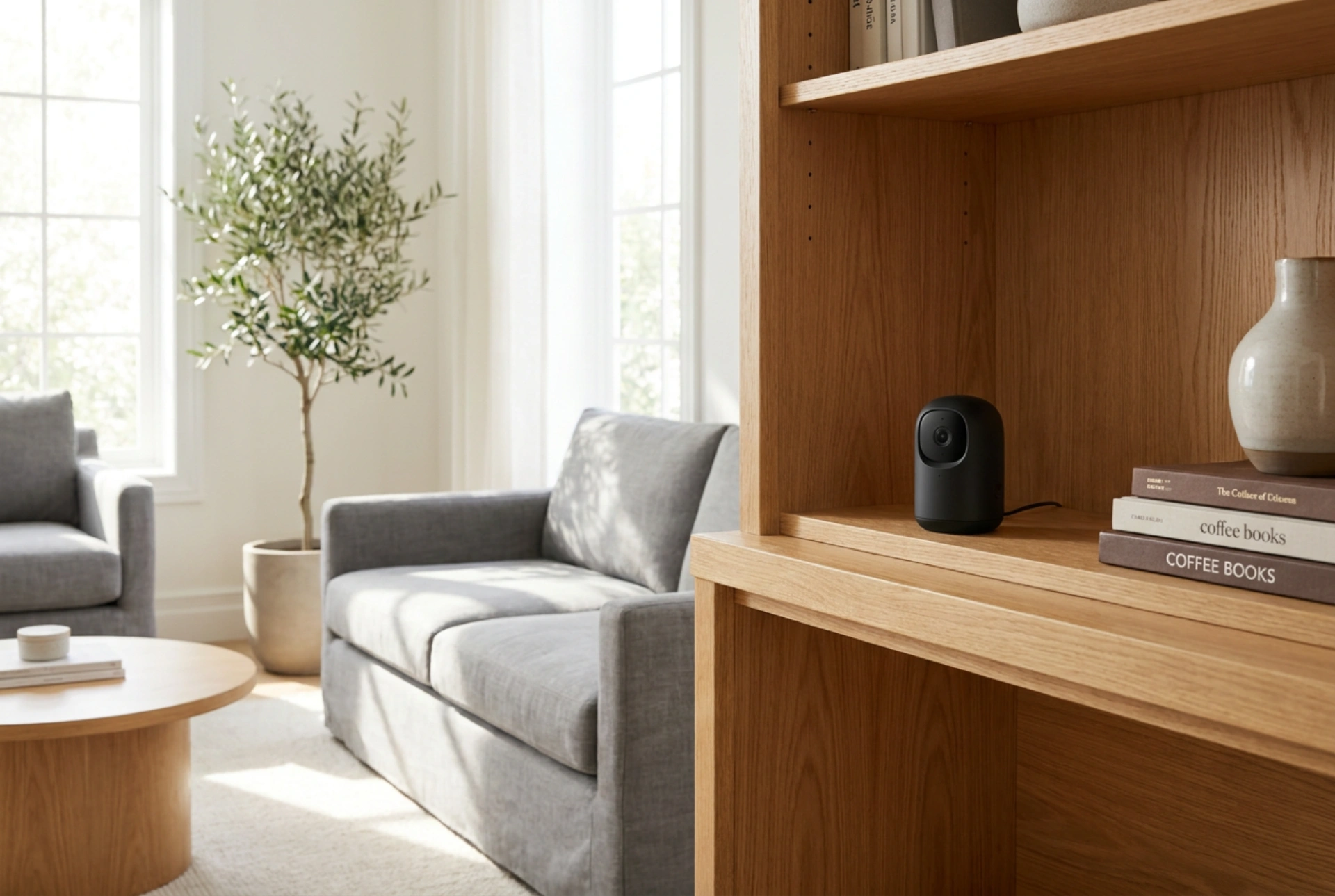


Positioning a home security camera requires a precise balance between maintaining a clear line of sight and blending the device seamlessly into your living space. To achieve discreet operation without compromising image quality or signal strength, you must understand the principles of optical refraction, light management, and radio frequency propagation.
Understanding Light, Reflections, and Lens Physics
The primary challenge of discreet camera placement is avoiding lens flare and infrared bounce-back. If you attempt to hide a camera behind a glass pane, such as inside a cabinet or close to a window, you will encounter the physical laws of reflection. During the day, sunlight hitting the glass reflects back into the camera lens, washing out the image. At night, the camera's built-in infrared (IR) illuminators will bounce directly off the glass surface, blinding the sensor with a bright white glare.
To prevent this, follow these optical rules:
- Position the camera lens flush against the glass if you must point it outdoors, using a rubber shroud to seal out ambient interior light.
- Disable the physical IR LEDs in the camera settings if the device is placed behind a transparent barrier, relying instead on ambient street lighting or low-light sensor optimization.
- Avoid placing the camera directly opposite bright light sources like south-facing windows or exposed bulbs to prevent sensor saturation.
Optimizing Wi-Fi Signal Penetration Through Materials
A discreet camera is useless if its digital transmission is constantly interrupted. Wi-Fi signals operate on 2.4 GHz and 5 GHz radio frequencies, which behave differently when encountering household materials. Understanding material attenuation—how much a substance weakens a signal—is crucial for placement.
When choosing a hidden spot, consider the composition of the surrounding objects:
- Wood and Drywall: These materials cause low attenuation, making wooden bookshelves, cabinets, and drywall niches excellent spots for concealing a transmitter.
- Glass and Ceramics: These present moderate resistance. Avoid placing cameras deep inside heavy ceramic vases or dense glassware.
- Metal and Mirror Backings: These cause extreme attenuation and reflection. Placing a camera behind a mirror or inside a metal filing cabinet will completely block the Wi-Fi signal.
- Water: Large bodies of water, such as aquariums, absorb radio frequencies. Ensure the line of path between the camera and the router does not pass through an aquarium.
Strategic Elevation and Angle of View
The human eye naturally scans environments at eye level (roughly 1.5 to 1.8 meters from the floor). Placing a camera slightly above or below this typical field of vision makes it significantly less noticeable. A higher placement, such as on top of a bookshelf, offers a downward angle that captures a broader room geometry while keeping the device out of the direct line of sight.
When positioning the camera on a shelf, pull the lens forward to the very edge of the shelf. If the lens is recessed too far back, the shelf surface itself will block the lower half of the viewing angle and reflect ambient light upward, reducing the overall contrast of the video feed.
Visual Camouflage, Textures, and Room Geometry
Visual camouflage relies on minimizing contrast. A black camera body stands out sharply against a white wall, while a white camera is obvious on dark wood. Match the casing of the camera to the background surface. If placing the camera on an oak bookshelf, surround it with matte, non-reflective items of similar depth and color tones, such as books, earthenware, or wooden sculptures. Avoid glossy decorations that could catch and reflect the camera's status lights, drawing unwanted attention to its location.
Cable Management and Thermal Dissipation
A common giveaway of a hidden camera is a poorly concealed power cable. To keep the setup truly discreet, route flat USB power cables along the seams of bookshelves or baseboards, securing them with paintable adhesive clips. Alternatively, choose a rechargeable battery-powered model, but be mindful of the physical access required to recharge it without disrupting the surrounding decor.
Furthermore, electronic components generate heat during operation. Concealing a camera in a tightly sealed decorative box or wrapping it in fabric will lead to heat accumulation. This thermal stress degrades the image sensor and shortens the lifespan of the lithium-ion batteries. Always ensure a minimum of two centimeters of clearance around the device's ventilation ports to allow natural air convection to cool the internal circuitry.





