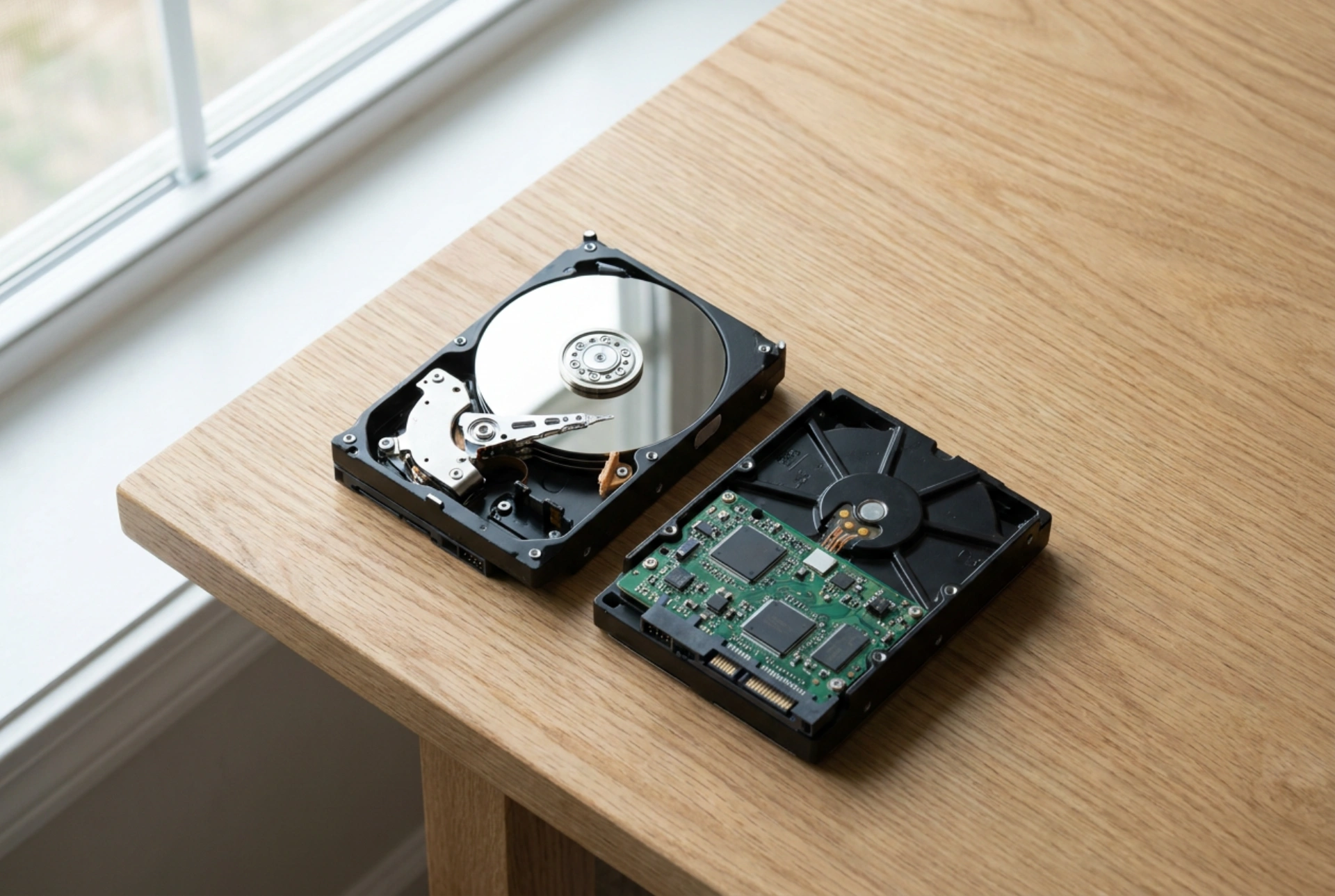


Choosing between a Hard Disk Drive (HDD) and a Solid State Drive (SSD) requires understanding how mechanical parts compare to silicon-based flash memory under physical demands. This guide details the structural differences affecting read/write speeds, acoustic output, and physical degradation over time.
1. Speed: Rotational Latency vs. Electron Flow
The disparity in speed between HDDs and SSDs is rooted in the laws of classical mechanics versus solid-state physics. A standard HDD relies on physical platters coated with a magnetic material spinning at speeds of 5,400 or 7,200 revolutions per minute (RPM). To read or write data, an actuator arm must physically move a read/write head across the spinning platters to find the correct sector. This mechanical movement introduces two bottlenecks: seek time (the time it takes for the arm to position itself) and rotational latency (the time it takes for the platter to spin the data under the head). Together, these processes result in access times ranging from 5 to 15 milliseconds.
In contrast, an SSD has no moving parts. It utilizes NAND flash memory, which organizes data in grid-like blocks of silicon chips. Instead of a mechanical head seeking a physical location, an SSD uses electrical currents to change the state of floating-gate transistors. Because electrons travel near the speed of light through silicon, seek time is virtually eliminated. SSD access times are measured in microseconds—typically around 0.1 milliseconds. When dealing with fragmented data or booting up an operating system, which requires reading thousands of small, scattered files, the solid-state architecture performs tasks up to four to five times faster than even the fastest consumer-grade mechanical drive.
2. Noise: Mechanical Friction vs. Silent Silicon
The physical operation of an HDD inherently produces acoustic noise. The spindle motor that rotates the platters must overcome friction, generating a constant low-frequency hum. Additionally, the rapid back-and-forth movement of the actuator arm—driven by a voice coil motor—creates sharp, clicking sounds during intensive write or read operations. If the drive is mounted directly to a computer chassis without rubber dampeners, these mechanical vibrations can resonate throughout the entire structure, amplifying the sound.
An SSD operates in absolute silence. Because the storage mechanism is purely electronic, there are no spindles, bearings, or actuator arms to generate friction or vibration. The only byproduct of an SSD's operation is heat, which is silent and dissipated through thermal pads, passive heatsinks, or the natural airflow within the computer case. This makes SSDs the ideal choice for quiet office environments, recording spaces, or bedrooms where acoustic distraction must be minimized.
3. Durability: Physical Shock vs. Electrical Degradation
Durability must be analyzed through two distinct lenses: physical resilience to external impact and long-term wear from routine data storage.
From a kinetic perspective, SSDs are vastly superior. Since they lack moving parts, a sudden drop, vibration, or impact during operation will not disrupt their performance. An HDD, however, is highly sensitive to physical shock. The read/write head hovers mere nanometers above the spinning platter on a cushion of air. A sudden jar can cause the head to make physical contact with the platter—a catastrophic event known as a head crash—which permanently destroys the magnetic storage layer and renders the data unrecoverable.
However, from a chemical and electrical wear perspective, both drives experience degradation, albeit through different mechanisms. SSDs have a finite lifespan governed by the physics of write/erase cycles. To write data, high-voltage electrical pulses force electrons through an insulating oxide layer into a floating gate. Over time, this high voltage physically degrades the microscopic oxide barrier, trapping stray electrons and eventually making the cell unstable. This limit is measured in Terabytes Written (TBW). HDDs, on the other hand, suffer from mechanical wear—lubrication in the bearings eventually dries out, and the spindle motor can fail, though their magnetic sectors can technically be rewritten an infinite number of times without degrading the physical storage medium itself.
Practical Summary Checklist
- Speed: Choose an SSD for system drives, application loading, and heavy multitasking where read/write access times are paramount.
- Noise: Opt for SSDs in noise-sensitive areas, as HDDs produce unavoidable mechanical humming and clicking.
- Durability: Use SSDs for portable devices prone to physical shocks; utilize HDDs for stationary, long-term archival storage where the drive remains stationary and write cycles are continuous.





